Exam Topics
- F5CAB3
- F5CAB3.01
- Identify iApp configured objects
- F5CAB3.01
Introduction
In previous courses, we discovered how F5 BIG-IP acts as an Application Delivery Controller (ADC), covering the fundamentals of load balancing, Virtual Servers, pools, profiles, and other LTM objects.
As your infrastructure grows, however, configuring and maintaining these objects manually can become increasingly time-consuming. In this course, we will discover iApps and how they simplify the deployment of multiple applications on BIG-IP.
The Challenges of Large-Scale Deployments
Imagine deploying your first web application on BIG-IP. You create a Virtual Server, configure an HTTP profile, set up SSL if required, create a pool, and define the pool members.
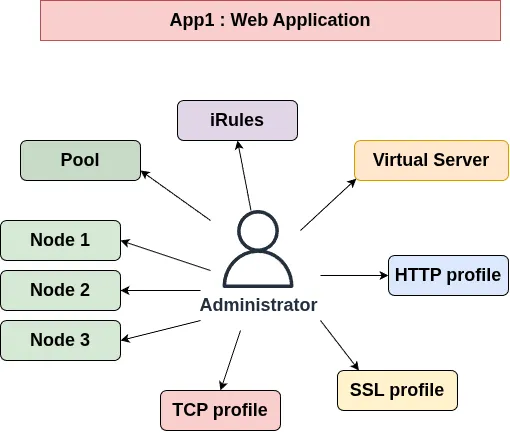
For a single application, this process is relatively straightforward but it may require 10 or more profiles.
Now imagine publishing 50 or 100 internal web applications.
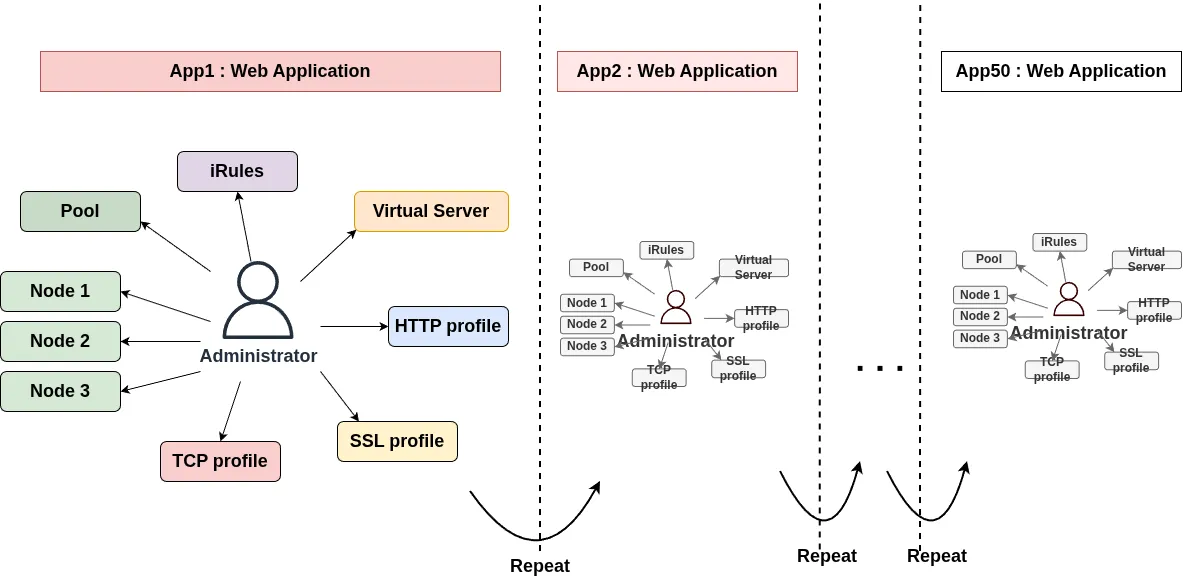
Each deployment may require the same sequence of configuration steps, repeated over and over. This quickly becomes tedious and increases the risk of configuration errors.
Consistency is another challenge. For example, Administrator A might configure a specific TCP profile option differently from Administrator B.
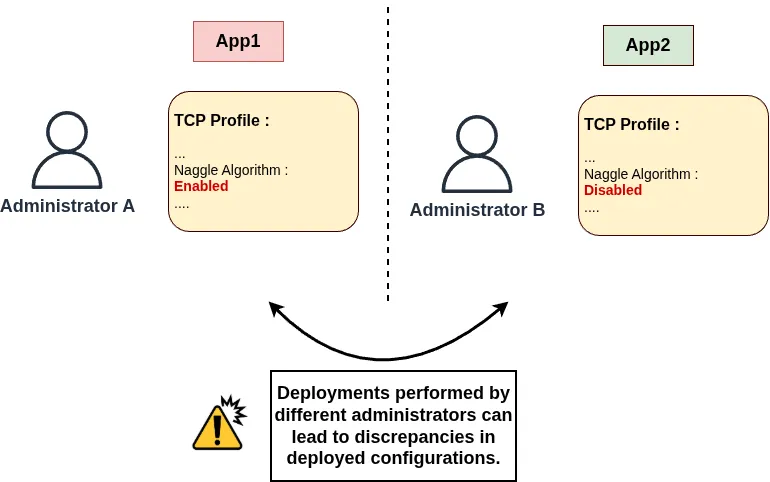
Even though both applications should follow the same standards, their configurations may end up being different.
iApps were designed to help simplify and standardize application deployments by allowing administrators to deploy multiple related BIG-IP objects through a predefined template.
What Is an F5 BIG-IP iApp?
An iApp is a framework for deploying application configurations on BIG-IP using templates.
Instead of manually creating every object individually, an administrator can use an iApp template that requests the required application parameters, such as:
- The Virtual Server IP address and port.
- The application protocol and service type.
- The pool members and their IP addresses.
- The required SSL settings.
- Other application-specific options.
Based on the information provided, the template generates the configuration needed to deploy the application.
The main advantage is that one template can be reused to deploy many similar applications while following the same predefined configuration rules.
This helps reduce repetitive work, improve consistency, and simplify the management of large-scale application deployments.
How to Create an iApp?
An iApp consists of two main components: the iApp Template and the Application Service. The template defines how an application should be deployed, while the Application Service represents an instance of that template configured for a specific application.
iApp Template
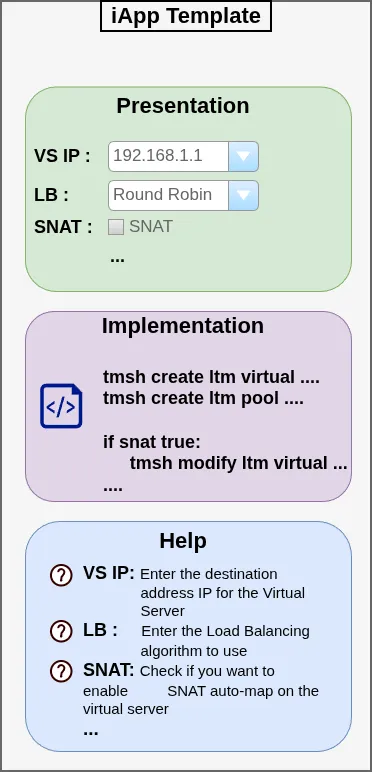
...